

If you’ve ever streamed a movie, saved a photo to Google Drive, or used an app that syncs across devices, you’ve already used cloud computing. Despite sounding technical and abstract, the concept is simpler than it seems once broken down.
What Is Cloud Computing
The Basic Definition
Cloud computing refers to accessing computing resources, like storage, processing power, or software, over the internet rather than relying solely on your own physical device or hardware.
Moving Beyond Local Storage
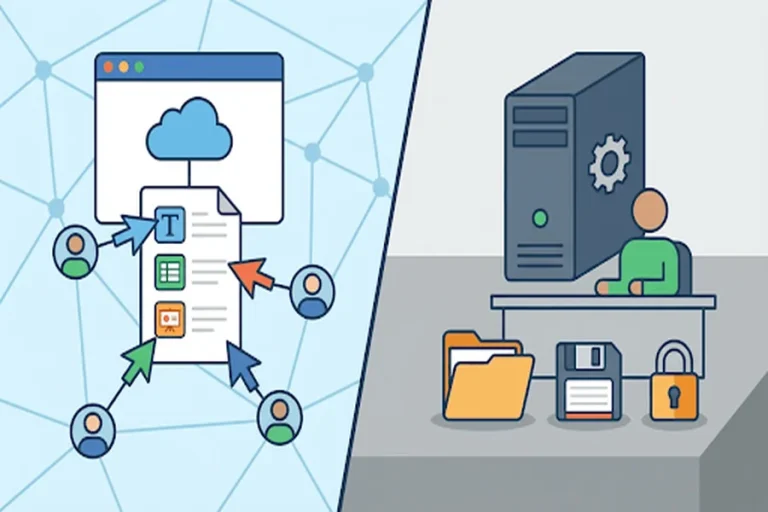
Instead of saving files only on your computer’s hard drive, cloud computing allows data to be stored on remote servers, accessible from anywhere with an internet connection.
How Cloud Computing Works
Remote Servers Do the Heavy Lifting
Large data centers, owned by cloud providers, house powerful servers that store data and run applications, eliminating the need for personal devices to handle intensive processing alone.
Accessing Resources Through the Internet
Users connect to these remote servers through the internet, retrieving data or running applications as if they were stored locally, despite the actual processing happening elsewhere.
Types of Cloud Computing Services
1. Infrastructure as a Service (IaaS)
IaaS provides virtualized computing resources, like servers and storage, over the internet, allowing businesses to build and manage their own applications without owning physical hardware.
2. Platform as a Service (PaaS)
PaaS offers a ready-made environment for developers to build, test, and deploy applications without worrying about managing underlying infrastructure.
3. Software as a Service (SaaS)
SaaS delivers fully functional software applications over the internet, like email platforms or streaming services, eliminating the need for local installation or maintenance.
Types of Cloud Deployments
Public Cloud
Public clouds are owned and operated by third-party providers, offering shared resources accessible to multiple users or businesses over the internet.
Private Cloud
Private clouds are dedicated to a single organization, offering greater control and security, often used by businesses with strict data requirements.
Hybrid Cloud
Hybrid clouds combine public and private cloud elements, allowing organizations to balance flexibility, cost, and security based on specific needs.
Everyday Examples of Cloud Computing
File Storage and Sharing
Services like Google Drive, Dropbox, and iCloud allow users to store and access files across multiple devices seamlessly.
Streaming Services
Platforms like Netflix and Spotify rely on cloud infrastructure to deliver content instantly without requiring local downloads.
Online Collaboration Tools
Applications like Google Docs allow multiple users to collaborate on documents in real time, powered entirely by cloud technology.
Benefits of Cloud Computing
Accessibility From Anywhere
Cloud computing allows users to access data and applications from virtually any device with an internet connection, increasing flexibility and convenience.
Cost Efficiency
Businesses and individuals can avoid the high costs of physical hardware and maintenance by relying on cloud providers’ infrastructure instead.
Scalability
Cloud services can easily scale up or down based on demand, making them ideal for businesses experiencing growth or fluctuating needs.
Considerations When Using Cloud Services
Data Security
Since data is stored remotely, understanding a provider’s security measures is essential to protecting sensitive information.
Internet Dependency
Cloud computing relies on stable internet access, meaning connectivity issues can temporarily limit access to stored data or applications.
Final Thoughts
Cloud computing has quietly become an essential part of everyday digital life, powering everything from personal photo storage to global business operations. Understanding its basics helps demystify the technology that increasingly shapes how we work, communicate, and store information.
Ready for the next topic whenever you are.